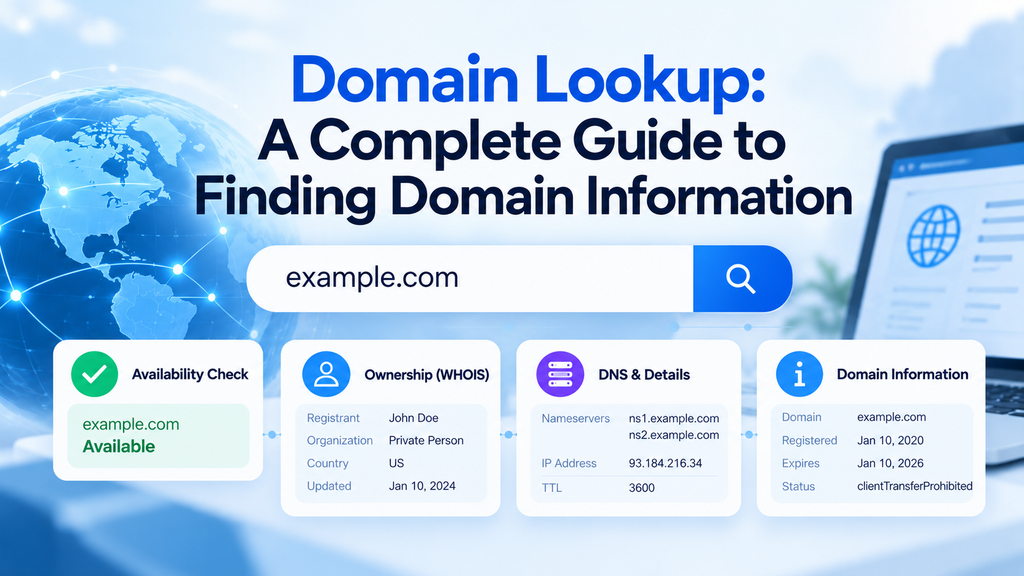
A domain lookup lets you check important information connected to a domain name before registering, buying, transferring, or troubleshooting it. It can reveal whether a domain is available, which registrar manages it, what nameservers it uses, and which DNS records are currently active.
Domain lookup is useful for website owners, developers, hosting providers, SEO professionals, and anyone researching a domain. Instead of checking multiple sources manually, a lookup tool can provide the core technical and registration details in one place.
What Does Domain Lookup Mean?
Domain lookup means searching public domain and DNS databases to retrieve information about a specific domain name. The returned information depends on the type of lookup being performed.
Some searches focus on registration details, while others inspect DNS configuration, nameservers, IP addresses, or email records. A complete domain lookup may combine several of these checks.
What Can You Check With a Domain Lookup?
A domain lookup can provide several useful details about a domain.
Common information includes:
- Domain availability
- Registration status
- Registrar name
- Creation date
- Expiration date
- Last updated date
- Nameservers
- Domain status codes
- DNS records
- Connected IP addresses
- Mail server information
Not every domain exposes the same amount of data. Privacy rules and registrar policies can limit what information is publicly visible.
How to Check Domain Availability
A domain availability lookup tells you whether a domain is already registered. This is usually the first step when choosing a new domain for a website or business.
For example, you may search:
mybrandexample.comIf the domain is unregistered, it may be available to purchase through a domain registrar. If it is already registered, you will normally need to choose another name or contact the current owner if acquisition is possible.
How Domain Registration Lookup Works
Domain registration information is stored by domain registries and managed through accredited registrars. A lookup system requests available registration data and returns the information allowed for public access.
This information can include the registrar, registration date, expiration date, and domain status. Personal registrant details may be hidden because of privacy services or data protection requirements.
Understanding Domain Status Codes
Domain status codes describe the current condition of a registered domain. They can also indicate whether certain actions are restricted.
Common status codes include:
clientTransferProhibited
This status normally means the domain cannot be transferred to another registrar until the restriction is removed.
clientHold
A domain with this status may stop resolving through DNS. This can happen because of billing, verification, abuse, or registrar-related issues.
redemptionPeriod
This indicates that an expired domain has entered a recovery stage. The existing registrant may still be able to restore it, usually at an additional cost.
pendingDelete
This means the domain is approaching deletion from the registry. Once the deletion process completes, the domain may become available for registration again.
How to Find a Domain Registrar
A domain registrar lookup identifies the company responsible for managing the domain registration. This can be helpful when you need to renew, transfer, recover, or investigate a domain.
The registrar is different from the web hosting provider. A website can use one company for domain registration and another company for hosting.
How to Check Domain Expiration Date
Domain lookup tools often show the current expiration date of a registered domain. This information can help domain owners avoid accidental expiration.
However, the displayed expiration date should not always be treated as the final renewal deadline. Registrars may use different renewal processes, grace periods, and billing schedules.
What Are Domain Nameservers?
Nameservers tell internet systems where the DNS records for a domain are managed. They are one of the most important parts of domain configuration.
Example:
ns1.hostexample.com
ns2.hostexample.com
If nameservers are changed, DNS control usually moves to the new provider. This is common during website migrations, hosting changes, or DNS provider changes.
How to Check DNS Records for a Domain
DNS lookup is often included as part of domain research. It allows you to inspect the records controlling website, email, and verification services.
Important DNS records include:
A Record
An A record connects a domain or subdomain to an IPv4 address.
Example:
example.com → 192.0.2.10AAAA Record
An AAAA record performs a similar function but points to an IPv6 address.
CNAME Record
A CNAME record makes one hostname point to another hostname.
MX Record
MX records define the mail servers responsible for receiving email for a domain.
TXT Record
TXT records can contain verification data, SPF policies, domain ownership checks, and other configuration values.
NS Record
NS records specify the authoritative nameservers responsible for the domain’s DNS zone.
Domain Lookup vs WHOIS
WHOIS is one method of retrieving domain registration information. Domain lookup is a wider concept that can include WHOIS data along with DNS, RDAP, availability, and IP information.
Traditional WHOIS results were mostly plain text. They often included registrar details and, historically, more public registrant information.
Modern privacy requirements have reduced the amount of personal data exposed in many WHOIS results.
Domain Lookup vs RDAP
RDAP, or Registration Data Access Protocol, is a newer system for retrieving registration data. It was designed to provide more standardized and structured results than traditional WHOIS.
RDAP responses are easier for applications and APIs to process because they use structured data formats. Access controls can also be handled more consistently.
For modern domain tools, RDAP is increasingly important for retrieving registration-related information.
Can You Find the Owner of a Domain?
Sometimes domain ownership information is publicly available, but often it is not. Many domains use privacy protection that hides names, addresses, phone numbers, and email addresses.
Even when the registrant is hidden, a domain lookup may still reveal:
- Registrar
- Registration dates
- Domain status
- Nameservers
- DNS records
- Registry information
This is usually enough for technical research and troubleshooting.
How Domain Privacy Affects Lookup Results
Domain privacy services reduce the amount of personal information shown publicly. They are commonly enabled by registrars for individual and business domain owners.
A privacy-protected domain may display limited or redacted registrant information. The underlying registration data can still be available to the registrar and authorized parties.
How to Use Domain Lookup Before Buying a Domain
A domain should be researched before purchase, especially when buying an existing or expired name. Availability alone does not tell you whether the domain is safe or valuable.
Check:
- Current registration status
- Expiration date
- Registrar
- Nameservers
- DNS configuration
- Previous website use
- Search engine history
- Backlink quality
- Trademark risks
Technical lookup data should be combined with historical and SEO research before making a purchase.
Domain Lookup for SEO Analysis
Domain lookup can support technical SEO analysis by providing infrastructure and configuration information. It can help identify DNS changes, hosting migrations, nameserver updates, and active subdomain records.
It does not directly measure rankings or authority. Domain age, registrar, or hosting provider should not be used alone to judge SEO quality.
For SEO work, domain lookup is most useful when combined with crawl data, indexing checks, backlink analysis, performance testing, and content evaluation.
Domain Lookup for Hosting Troubleshooting
Hosting providers frequently use domain lookup when diagnosing website problems. A site can appear offline even when the hosting server itself is working correctly.
A lookup can help verify:
- Correct nameservers
- Correct A record
- DNS propagation
- MX configuration
- Domain expiration
- Registrar status
- DNSSEC configuration
This makes domain lookup an important troubleshooting step before changing hosting settings.
Domain Lookup for Email Problems
Email delivery depends heavily on DNS configuration. Domain lookup can help identify whether important mail-related records are missing or incorrect.
Important records to inspect include:
- MX
- SPF
- DKIM
- DMARC
Incorrect values can cause email authentication failures, rejected messages, spam placement, or delivery problems.
What Happens When a Domain Expires?
A domain does not always become available immediately after its expiration date. Most domains pass through several stages before returning to the public registration pool.
A typical lifecycle can include:
- Active registration
- Expiration
- Renewal grace period
- Redemption period
- Pending deletion
- General availability
The exact timing depends on the TLD, registry, and registrar.
Can an Expired Domain Be Registered Immediately?
Usually not. Many expired domains remain recoverable by the previous registrant for a period of time.
After the recovery stages end, the registry may delete the domain. Only then can it potentially become available for new registration.
High-demand expired domains may also be sold through auctions or drop-catching services before ordinary registration becomes practical.
How Accurate Is Domain Lookup Data?
Domain lookup data is generally reliable when retrieved from authoritative registry, registrar, RDAP, or DNS sources. Third-party tools may cache information, which can create temporary differences.
DNS changes can also take time to appear because resolvers cache records according to their TTL values. For this reason, recent configuration changes may not be visible everywhere at the same time.
Common Domain Lookup Errors
Some lookup results can be confusing if the underlying data is incomplete or delayed.
Common issues include:
- Outdated DNS cache
- Hidden registrant details
- Incorrect nameserver configuration
- Recently transferred domains
- Registry update delays
- DNS propagation delays
- Expired domain grace periods
Checking multiple authoritative data points can help confirm the real status of a domain.
How to Choose a Domain Before Registration
Domain lookup is most useful when combined with careful domain selection. The goal is not only to find an available name but to find one that works for the long term.
A strong domain should usually be:
- Easy to spell
- Easy to remember
- Relevant to the brand
- Short where practical
- Free from trademark conflicts
- Flexible enough for future expansion
The best domain is one that remains useful even if the website grows beyond its original purpose.
Popular Domain Extensions
Different domain extensions serve different use cases.
| Extension | Typical Use |
|---|---|
.com | Businesses and general websites |
.net | Technology and network-related sites |
.org | Organizations and communities |
.co | Companies and startups |
.io | Software and technology projects |
.store | Ecommerce websites |
.ai | AI-focused businesses and projects |
| Country-code TLDs | Geographic targeting |
Extension choice affects branding, availability, and sometimes geographic relevance.
Frequently Asked Questions
What is a domain lookup used for?
A domain lookup is used to check registration, availability, DNS, nameservers, registrar, and technical details connected to a domain name.
Can I check if a domain is available before buying it?
Yes. A domain availability lookup can show whether a name is currently registered or potentially available for registration.
Can domain lookup show an IP address?
Yes. DNS lookup functionality can retrieve A or AAAA records that point a domain to IPv4 or IPv6 addresses.
Can I find someone’s personal details through domain lookup?
Often no. Many registrars and registries hide or redact personal registrant information because of privacy protection and data protection rules.
What is the difference between domain lookup and DNS lookup?
Domain lookup can include registration and ownership-related information, while DNS lookup focuses specifically on technical DNS records.
Why does my domain show the wrong IP address?
The DNS record may be incorrect, recently changed, or still cached by DNS resolvers. Check the authoritative DNS configuration and allow for normal cache expiration.
Does an expired domain become available immediately?
No. Most domains pass through renewal and deletion stages before they become available for registration again.
Conclusion
A domain lookup provides a fast way to inspect the registration and technical status of a domain name. It can show availability, registrar information, expiration dates, nameservers, DNS records, IP addresses, and other useful details.
It is especially useful before registering a new domain, buying an existing one, changing hosting providers, or troubleshooting website and email problems. Accurate domain information helps reduce configuration mistakes and makes domain management easier.